Welcome to the fifth edition of this summer’s #SummerOfCopilot blog series. As I’ve noted before, I’m posting a series of daily news, recommendations, and updates about Copilot and Microsoft AI on LinkedIn, and I’m rolling up each week into the Copilot Navigator newsletter with an accompanying blog post.
(FYI It started as #MonthOfCopilot - but I got ambitious 😊)
#SummerOfCopilot
Week 1: Microsoft Copilot – A Bold Vision for AI Transformation - #SummerOfCopilot
Week 2: AI Co-Workers Arrive: A Week with Microsoft’s Researcher & Analyst Agents
Week 3: Making the Invisible Visible: Tacit Knowledge Meets Copilot
Week 4: Unlocking Productivity: Copilot, ChatGPT, and AI Agents in Action
Our next two issues:
Week 6: Copilot Roadmap Updates, Cost and License Management - plus SharePoint Autofill
Week 7: Six (or Seven) Ideas for the Future of Copilot
And this week, we’re looking in some depth at agents and Copilot Studio, along with the Copilot Control System.
It’s early July 2025, and enterprise AI is hitting its stride. Over the past few weeks, Microsoft has rolled out a wave of new Copilot capabilities, and major companies are making bold moves to harness AI at work. One headline-grabbing example: Barclays is deploying Microsoft 365 Copilot to 100,000 employees — a massive rollout aimed at transforming employee productivity with AI assistants. This follows closely on the heels of other early adopters; for instance, Accenture began rolling out Copilot to 100,000 staff late last year, and Microsoft says nearly 70% of Fortune 500 firms have started using Microsoft 365 Copilot in some form. Clearly, the era of AI copilots in business is not a distant vision — it’s here and now.
But adopting AI isn’t just about turning on a fancy new feature. Two big questions arise for every business leader:
(1) How can we tailor these AI agents to truly fit our unique business needs? And
(2) How do we deploy them responsibly, with proper oversight? In this article, we’ll explore how Microsoft is addressing both of those questions head-on.
First, we’ll look at Copilot Studio – Microsoft’s toolkit for building your own custom AI copilots. This is where you, your team, or your “citizen developers” can create AI assistants that are deeply knowledgeable about your business and processes. Then we’ll dive into the Copilot Control System – the governance layer that ensures these AI agents operate within your organization’s security and compliance guardrails. Along the way, we’ll highlight the latest updates (from Microsoft Build 2025 and the Spring ’25 release wave) and why they matter. By the end, you should have a clear picture of how you can co-pilot your business into the future with AI – safely and effectively.
Build Your Own Copilots with Copilot Studio
One of the most significant developments in Microsoft’s AI push is Copilot Studio. Part of Microsoft’s Power Platform, Copilot Studio is essentially a sandbox for creating and customizing AI copilots from the ground up. It’s where you go to craft an AI agent that’s tailored to a specific function or problem in your organization.
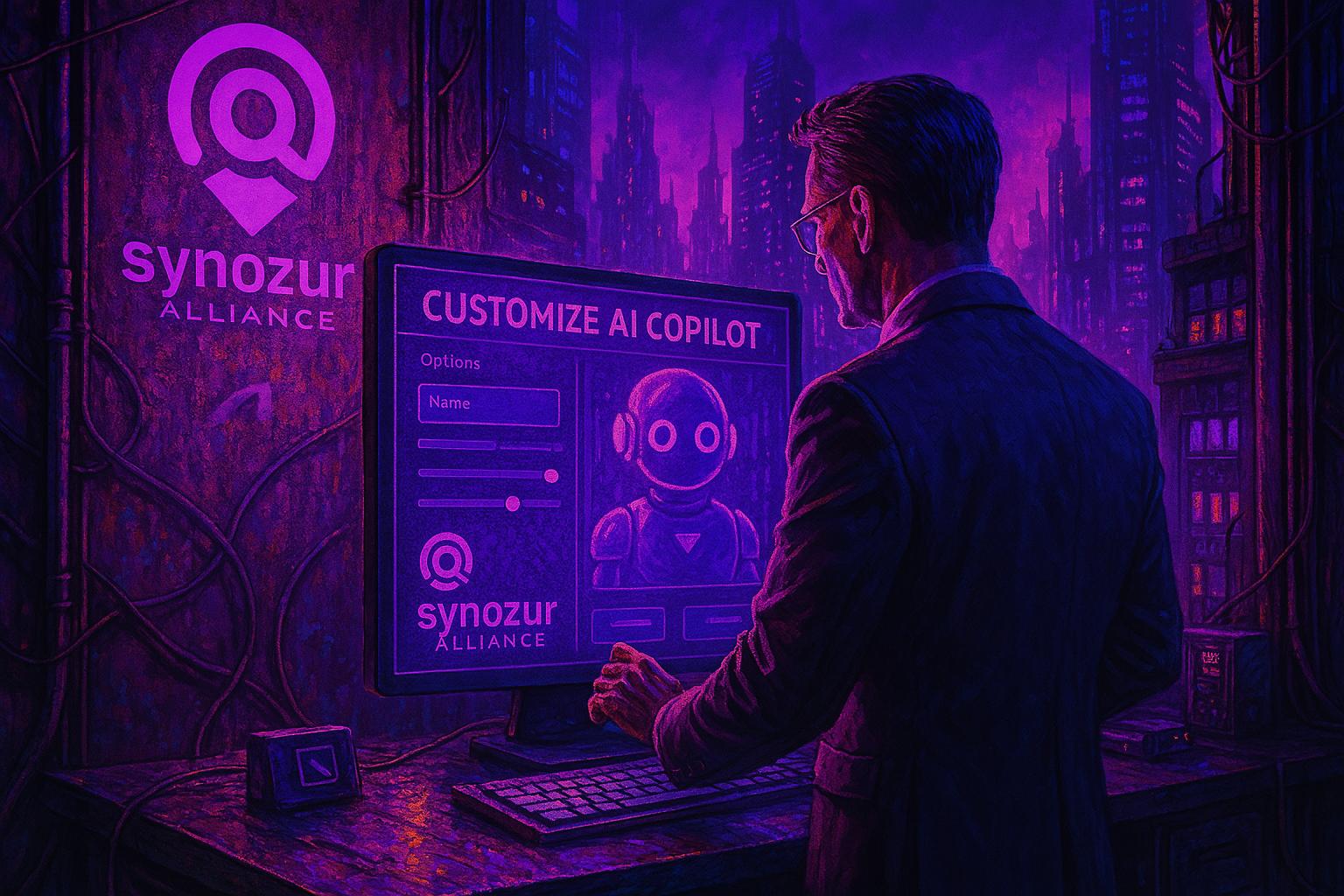
Think of Copilot Studio as a “no-code AI factory” for your business. It provides an interface where you can define three key things about your custom copilot:
Knowledge – what information the AI has access to. For example, you might connect it to your contract database, policy manuals, sales CRM, or any other data source that’s relevant. This forms the knowledge base or “brain” of your AI. If you’re building a Sales copilot, you’d feed it things like past proposals, pricing guidelines, product specs, and CRM data. For an IT support copilot, you’d give it your troubleshooting wiki, common ticket resolutions, etc.
Skills/Actions – what tasks the AI can perform or assist with. Microsoft allows you to integrate “actions” via connectors or APIs. This means your copilot isn’t just answering questions; it can also act on your behalf in connected systems. For instance, a HR onboarder bot could actually create a new employee account in your system, or a finance agent could run a report from your ERP software – if you set up those connections. In Copilot Studio, you can configure these capabilities often through a guided setup (choosing from existing connectors or defining an API call) rather than having to write custom code.
Personality/Instructions – how the AI interacts with people. You can customize the tone of responses, important instructions it should always follow, and conversely, things it should never do or say. Essentially, you give it a bit of a “job description” and guardrails. For example, you might instruct a legal copilot to always include a disclaimer in draft responses, or tell a support bot to be extra patient and thorough when guiding users.
Copilot Studio comes with starter templates and pre-built components to accelerate the creation process. Microsoft has even hinted at an “Agent Catalog” where they and partners will publish ready-made copilots or building blocks that you can adapt (kind of like an app store for AI agents). During the Spring 2025 wave of releases, Microsoft made several improvements to Studio – including the ability to use multiple knowledge sources at once, integrate third-party data via new connectors (they added connectors for services like Asana, Trello, Zendesk and more in April 2025), and even support for customer-managed encryption keys for the content your agents use (important for compliance). They’ve also built out an analytics dashboard for Copilot Studio that can show the ROI of the agents you build – for example, using Microsoft Viva Insights to estimate time saved by an agent’s usage. All these updates underscore that the platform is maturing quickly.
So what can you actually build? Let’s look at a few real examples to make it concrete:
Sales Deal Coach: An AI agent for sales teams that knows your accounts, history, and product FAQs. A rep could ask, “What discount did we give to Client X last quarter, and why?” The copilot would fetch the CRM records, find the relevant quote, and reply with “You offered a 10% discount in Q4 to match a competitor’s pricing. The competitor was XYZ Corp. Given that, for the new proposal, consider emphasizing our value-added services instead of a further discount.” It might even draft a first version of the new proposal letter. This saves the sales team time digging through old emails or approvals, and helps apply lessons from past deals in real-time.
IT Helpdesk Bot: We at Synozur actually built and deployed this using Copilot Studio. We fed it our internal IT knowledge base, common troubleshooting scripts, and our ticketing system data. Now, when employees have an issue (“Outlook keeps crashing” or “How do I get access to the marketing shared drive?”), they can ask the copilot in Teams. In many cases, it provides the solution immediately (saving the IT team from answering yet another repeat question). If it can’t solve it, it drafts a ticket with all the info from the conversation, so the user can just hit submit. This has significantly reduced Tier-1 support workload and improved response times. Essentially, we’ve given every employee a virtual support assistant that’s available 24/7.
Project Management Assistant: Microsoft actually demonstrated something like this: an agent that works with Planner (the task management app in Microsoft 365). We’ve prototyped our own as well. The copilot can update task statuses when you ask, generate a summary of progress for the week, and identify if any tasks are overdue or at risk. You might type, “Copilot, what is the status of Project Alpha this week?” and it will reply with a rundown: “5 tasks completed, 2 in progress, 1 overdue (Task Z is 3 days late). The team cited waiting on client feedback as a blocker for Task Z.” It gathers this from Planner data and team chats. This kind of assistant means no more manually compiling status reports every Friday – a huge time saver for project leads.
Content Auditor (Intranet Copilot): Information can get outdated quickly. We created a “Content Auditor” agent for our SharePoint intranet. Its job is to periodically review pages and flag ones that haven’t been updated in a long time or that contain certain stale terms (like referencing an old CEO or old policy name). Because Copilot Studio agents can leverage the Microsoft Graph (which can access SharePoint content), our agent can read pages and use some rules we provided via prompt instructions to decide what might need review. It then produces a report for our intranet admins highlighting pages and sections that potentially should be updated. This was surprisingly straightforward to build: a bit of prompt engineering and connecting to the Graph API through the Studio interface.
Financial Analyst Bot: Finance teams often spend time creating reports or answering execs’ questions that involve digging into data. A copilot can expedite this. For example, an agent connected to your finance databases or Power BI could handle questions like, “What’s our year-to-date revenue vs. this time last year, and what’s driving the change?” The AI could pull the numbers (say, $50M YTD vs $45M last year, up 11%) and explain “We’re up 11%, mainly due to a 20% increase in Product A sales in Europe, while other regions are flat.” It might even generate a quick chart. The exec gets insights in seconds, and the finance team doesn’t have to run a custom query or build a slide deck for every ad-hoc question.
These are just a few scenarios – the list is as endless as the unique processes in each business. The beauty of Copilot Studio is that you don’t need to be an AI researcher or a hardcore developer to create useful agents. If you’re a power user who knows your domain (sales, HR, supply chain, whatever it is) and you can articulate the logic or info needed, the Studio provides a friendly way to turn that into a working copilot.
Microsoft is also rapidly improving the platform. At Build 2025, they announced upcoming features like multi-agent orchestration – which means one copilot can invoke or hand off tasks to another, enabling more complex workflows. (Imagine your Finance Bot automatically consulting with a Sales Bot for forecasts, then together notifying a Manager Bot to approve a budget adjustment – AI agents collaborating with each other behind the scenes.) They’re also integrating Azure AI Foundry into Copilot Studio, so you could bring outside AI models or fine-tune models with your data if you need something very domain specific.
Additionally, new deployment channels are coming – Microsoft just made it possible to publish your custom copilots not only inside Microsoft 365 apps, but also to platforms like a SharePoint site (GA as of mid-2025) or even WhatsApp (coming soon). That means your custom AI could engage users on your public website or via mobile messaging, not just internally in Teams or Office.
All of this shows a fast-evolving landscape. Microsoft is effectively saying: “Here’s the toolbox to create your own AI helpers, and we’ll keep adding more tools to that box.” But as we give people the ability to create these powerful agents, there’s a parallel concern: How do we manage all these AI agents and ensure they’re doing the right things? That’s where the governance piece comes in.
Governing the AI Agents: Copilot Control System
When Microsoft first allowed custom AI agents, they knew larger companies would rightly ask, “How do we control this?” In response, Microsoft introduced the Copilot Control System (CCS) – a built-in admin suite to manage and govern Copilot and all these new custom agents. It was initially announced at Ignite 2024 and rolled out in early 2025 (as part of what Microsoft called the “Copilot Wave 2” spring release). The idea is to give IT the same level of oversight on AI that they have on email, documents, or any other critical system.

Here are the major facets of the Copilot Control System and why they matter:
Security & Data Protection: Perhaps the most crucial aspect. CCS integrates Copilot with Microsoft Purview Data Loss Prevention (DLP) and other information protection tools. In practice, this means Copilot respects all your existing policies about sensitive data. If your company policy says, “Documents tagged Confidential cannot be shared externally or via AI,” Copilot will abide. Concretely, if an employee tries to use Copilot on a document that contains, say, customer Social Security numbers (and you have a rule against that), Copilot will refuse to comply. It might respond along the lines of, “I’m sorry, I can’t assist with that request,” without revealing any content. Similarly, if someone copy-pastes a snippet of secret source code into Copilot, it won’t suddenly include that code in a reply to another user who isn’t authorized to see it. These controls essentially prevent AI from becoming a loophole in your security. This was a smart move by Microsoft because many CIOs worried about scenarios like an AI chatbot inadvertently exposing things. (We all saw what happened when some employees used ChatGPT without such safeguards – e.g., the incident where Samsung engineers accidentally leaked sensitive code via ChatGPT, leading Samsung to ban such tools for a while.) With Copilot’s approach, those accidental leaks are much less likely because the AI is permission-aware and policy-aware.
Usage Monitoring & Analytics: The Copilot Control System provides analytics dashboards to give you visibility into how Copilot and custom agents are being used. For example, there’s a “Message Consumption” report showing the volume of Copilot queries over time, broken down by department, user, etc. If Marketing ran 5,000 prompts this month and Finance only 500, you can see that. This is not just for curiosity – it helps in capacity planning and cost management (especially if you’re on a pay-as-you-go plan where each AI call has a cost). Admins can even set up thresholds or alerts; for instance, an alert if usage in a particular team spikes unexpectedly (maybe indicating a successful pilot… or maybe someone wrote a bot that’s spamming the AI). Another report, the “Agent Usage” report, tracks how often each custom Copilot agent is invoked. So if you’ve built 10 custom agents in your org, you can see which ones are actually getting traction and which ones aren’t being used. This can inform decisions to improve or decommission certain agents. It’s similar to how businesses track usage of internal applications.
Centralized Management of Agents: As your company creates multiple copilots, CCS acts as the hub to manage their lifecycle. Through the admin interface, you can publish or retire agents centrally. Let’s say your HR team creates a “Benefits Q&A” copilot and it’s ready to go live – IT can publish it, so it appears for all employees (for example, available in Teams or on your intranet). Conversely, if an agent was experimental or a limited-time use (imagine a “World Cup info” bot for a company event), you can withdraw it when it’s no longer needed. Importantly, CCS ties into Azure Active Directory (Azure AD), meaning you can set permissions on who can use which agent. You might have an internal finance bot that only Finance staff should use – you can restrict it to that Azure AD group. This way, even if someone hears about an agent, they’ll only be able to access it if they’re meant to. This concept is much like how we manage access to apps or SharePoint sites today. Another aspect of management is versioning and change control – you can update an agent (improve its prompts or add a skill) and roll out the new version, and if something goes wrong, presumably roll it back. All of this ensures that as your roster of AI copilots grows, you don’t lose track of them.
Auditability and Compliance: In highly regulated industries, it’s critical to have an audit trail. CCS ensures that Copilot interactions can be logged for auditing purposes. Every user query and the AI’s response can be recorded (similar to how chat messages or emails are archived). This means if there’s ever a compliance review or legal eDiscovery process, those AI conversations are not off in an untraceable black box – they can be examined under the same processes as other digital records. Additionally, Microsoft has previewed an “AI Security Posture” dashboard, which goes even deeper: it lets admins see which data sources each agent has accessed and if there were any attempts by agents to do something outside of policy. For example, it could flag, “Agent X attempted to read a file on SharePoint Site Y but was blocked by DLP.” This kind of oversight is unprecedented for AI systems — it gives the organization confidence that they can catch any misuse or anomaly. If a gap in policy is discovered (say an agent wasn’t covered by a certain restriction because it’s new), the admin can create or tweak the policy on the fly.
Preventing Unauthorized Actions: Looking forward, Microsoft is also conscious of “autonomy” in AI. Some agents can be configured to take actions automatically when certain triggers happen (these are the “autonomous agents” that became generally available in March 2025 – for example, an agent that notices a server down and automatically opens an incident and notifies someone). CCS provides a way to govern those capabilities too. Admins can set boundaries like, “Agent can draft emails, but not send them to external recipients,” or “Agent can auto-create tasks, but any deletion action requires human confirmation.” Those finer controls are evolving, but the point is, admins keep the keys to how far agents can go autonomously. It’s a bit like setting guardrails on a self-driving car – you decide the max speed, or geofence the area, etc.
All these measures reflect a broader strategy: making Copilot “enterprise-ready” from the start. Microsoft has leveraged its decades of enterprise software experience to bake in things like compliance, role-based access, and auditing – not as afterthoughts, but as core features. This is a differentiator when comparing Copilot to other AI offerings. Many AI startups or consumer-focused AI services might match Microsoft on pure model quality or cool features, but they typically lack this depth of admin control. For a CIO or CISO, those controls can be the difference between saying “yes” or “no” to a deployment.
Our own experience in trying Copilot with clients has been that these governance features significantly smooth over the usual objections. A year ago, when ChatGPT burst onto the scene, I remember enterprise IT discussions being cautious: “It’s impressive, but we can’t risk data going who-knows-where,” “Can we turn it off for certain departments?”, “How do we monitor what it’s doing?” With Copilot’s design, we have concrete answers to those questions: data stays within compliance boundaries; yes, you can manage access and usage; yes, you can audit it.
The Copilot Control System is still evolving too. In the Build 2025 announcements, Microsoft talked about upcoming enhancements such as persistent labeling (ensuring that if a document has a confidentiality label, that label’s intent persists through any AI processing of it) and better admin tools in the Power Platform for managing connectors that agents use. They are basically stitching Copilot governance into the existing fabric of Microsoft 365 governance.
Why Enterprise Control is the Game-Changer (Copilot vs. the Competition)
It’s important to recognize why Copilot’s level of control matters compared to other AI platforms. Popular AI assistants like ChatGPT focus on delivering smart answers, but they often leave enterprises with unanswered questions about data privacy, policy enforcement, and compliance oversight.

Some tools, like ChatGPT Enterprise, offer basic protections, but they lack the deep integration and governance features businesses need—such as comprehensive admin dashboards and integration into compliance systems. As a result, many organizations end up blocking or restricting third-party tools entirely.
Microsoft’s Copilot, on the other hand, builds governance and trust into its foundation. This strategic focus makes it far more appealing to highly regulated industries, where concerns over data leaks and compliance breaches are non-negotiable. By aligning with existing enterprise policies and compliance systems, Copilot addresses the trust requirements that are essential for real-world adoption.
Even beyond regulated industries, any large enterprise with valuable IP (think manufacturing designs, software code, strategic plans) will value keeping that safe. Microsoft’s bet is that enterprise trust will be a deciding factor in the AI platform wars. And it’s a smart bet. Just recall how quickly businesses clamped down on uncontrolled cloud file-sharing a decade ago (Shadow IT, anyone?). Eventually, the services that thrived were those that offered enterprise versions with admin controls.
Another aspect is cost and manageability. Copilot’s admin tools include usage and cost control, as mentioned. Competing AI solutions currently don’t give much visibility into usage patterns within an organization. If you use a cloud AI API, you might get an overall bill and maybe some rudimentary logs, but not the kind of breakdown Copilot provides by user/team or by agent. That granular insight means companies can better optimize how and where AI is used. It also means they can experiment more confidently, knowing they won’t get a surprise bill because some team went wild with requests – they can set caps or at least get early warning of high usage.
Microsoft was strategic in positioning Copilot as an enhancement to existing tools frequently utilized by employees, such as Office and Teams. Similarly, administrative controls for Copilot have been integrated into familiar platforms like the Microsoft 365 Admin Center and Purview Compliance portal. This integrated methodology stands in contrast to deploying a separate AI system that would necessitate additional training and monitoring protocols. As a result, IT teams have shown greater receptiveness to Copilot, viewing it not as a foreign system but as a seamless upgrade within the established Microsoft ecosystem.

To be fair, we should acknowledge that other big players are also working on enterprise AI offerings – Google has integrated Gemini AI into Workspace with their own safety measures, and startups are emerging focusing on “secure AI” for business. The race is on. But as of mid-2025, Microsoft has a lead in actually delivering a working combination of powerful AI + enterprise governance at scale. It’s not lost on observers that, for example, 90% of the Fortune 500 have already used Copilot Studio to build custom agents (as mentioned by Microsoft at Build 2025), whereas no other platform can claim anything close to that level of trial or adoption within big companies.
At Synozur, where we help organizations with digital transformation, we’ve started advising clients that if they want to explore generative AI for productivity, Microsoft Copilot is currently the most enterprise-ready route. The usual counter-question is, “What about using ChatGPT or another AI? It might be cheaper or more knowledgeable.” Consumer tools might be fine for individual experimentation (if data leakage is OK), but if you’re talking about company-wide deployment, the lack of enterprise controls becomes the blocker. It’s easier (and safer) to start with a platform that was built with those needs in mind, than to try to retrofit a consumer AI into an enterprise environment with third-party hacks and policies.
Steering into the Future with Caution and Confidence
We’ve covered a lot of ground: from building custom AI copilots that can handle specific tasks for your business, to the nuts and bolts of governing those AI agents responsibly. What should you, as a business leader, take away from this?
1. AI copilots are already delivering substantial value. Companies are saving time and money by automating sales, speeding up IT support, or analyzing data rapidly. Teams handling repetitive tasks can especially benefit from Copilot.
2. You can begin with a smaller, safer rollout. Microsoft’s system lets you pilot Copilot in a controlled environment, such as a single department or limited data set. This approach allows you to experiment and learn before a full launch.
3. Update and share usage guidelines. Even with technical controls, having clear policies for employees is crucial. Teach staff about prompt safety, verifying AI outputs, and using Copilot as an assistant. Training can help users get the most from the tool.
4. Keep up with rapid updates. Microsoft’s roadmap includes new models, features, and integrations across products like Teams and Outlook. Following their release notes or blog will help you spot new ways to leverage Copilot in your organization's workflows.
(Shameless plug: our Copilot Navigator newsletter – where this article first appeared as a shorter piece – is one way we keep our readers updated on exactly these developments, in plain business language.)
5. Consider the cultural impact. Introducing AI copilots can actually make work more engaging by offloading drudgery. Employees might find they have more time for creative and strategic work. But there can also be anxiety (“Is the AI going to replace my job?”). It’s important to frame copilots as tools for empowerment. Emphasize that these agents are here to take on the boring tasks and assist with the hard ones, not to eliminate the need for human expertise. In our deployments, we’ve seen that people quickly grow fond of their AI helper once they see it in action – it’s like having a junior team member who’s always available. But that acceptance comes faster when leadership communicates a clear message that this is about augmenting human work, not replacing it.
In summary, AI copilots are quickly becoming vital tools for organizations, much like personal assistants once were. Microsoft’s Copilot platform currently offers a strong balance between innovation and governance, providing a reliable entry point for businesses.
The journey will involve learning and adaptation, but starting now with a specific, high-impact use case—like automating status reports or handling HR queries —can deliver quick wins and valuable lessons for broader adoption.
The “summer of Copilot” is showing us glimpses of what’s possible. The question now for every organization is: Will you embrace these copilots as partners in your work? With the right vision and controls, the sky’s the limit – and you’ll be flying with an AI co-pilot at your side, towards greater productivity and creativity, confidently and safely.