How AI at Work Matured This Season—and How to Turn Momentum into Measurable Impact
Last week, as summer officially came to its astronomical end in the Northern Hemisphere, I made the last posts in my #SummerOfCopilot series. Today, I’m going to recap some highlights from the series and provide guidance on where Copilot—and AI—take us from here.
When I started the series, I began collecting my draft posts in a document called "Month of Copilot." I wondered, how hard could it be to write 20 posts?
By late June, I decided to let the series run for the entirety of the summer. There have been 109 posts already, along with 14 weekly LinkedIn Copilot Navigator newsletters, and a more detailed blog post here on the Synozur website.
Throughout this journey, I sometimes pivoted day to day with breaking news. This included the release of OpenAI's GPT-5 and the introduction of Claude models from Anthropic to M365 Copilot.
For the series close, I had the title “Endless Summer” and an image for two months. Earlier this year, Brian Wilson, the genius composer and leader of The Beach Boys, passed away. As I pondered how to pivot from a summertime focus on Copilot to a more enduring foundation for commercial AI, I decided to include this title as a tribute to Brian. It also connects to the title of their 1960s greatest hits album, Endless Summer). No ‘Kokomo’ here.
Here’s the final overview of the series:
SummerOfCopilot Week 13.2 Blog Posts
Week 1: Trends and Insights from Microsoft’s Latest AI Innovations
Week 2: First Encounters with Microsoft’s Copilot Researcher & Analyst
Week 3: From Tacit Knowledge to Talking Agents: Navigating Copilot’s Next Evolution
Week 4: Copilot Goes Ubiquitous – Agents plus Copilot training resources
Week 5: Co-Piloting the Future – Custom AI Agents with Enterprise Control
Week 6: AI in Action: How New Copilot Features are Changing Content Management and Productivity
Week 8: Driving Productivity: Copilot from Driver’s Seat to Board Seat
Week 9: Copilot for Every Leader: How AI is Empowering the C-Suite
Week 10: GPT-5 Meets Microsoft 365 Copilot
Week 13 (Part 1): Copilot’s Next Chapter
Going forward, I’ll continue to write weekly about AI—for Microsoft and more—with news, updates, and recommendations. We can call it #AIAutumn. It won’t be all Copilot all the time. Our clients work with many AI tools, and new entrants arrive daily—Gamma, Replit, Google Veo. I’ll keep on top of them and share not just what’s new and interesting (e.g., Nvidia investing $100 billion in Open AI) but what it means for business.
So, let’s play that last summer playlist one more time.
📝 The Summer That Changed How We Work
This summer, Copilot stopped being a headline and started acting like a helpful co-worker. We saw Microsoft 365 Copilot move from “cool demo” to “daily companion.” New reasoning agents (Researcher, Analyst), Copilot Notebooks, SharePoint’s Knowledge/answers experiences, and a multi-model future now include Claude.
We also watched the ecosystem sharpen its edges. OpenAI’s next-gen GPT models (often referred to as GPT-5), Anthropic’s Claude, and Google’s NotebookLM/Gemini each pushed the conversation forward. In short, AI at work hit its stride—and it’s still accelerating.
This wrap-up distills what mattered for IT leaders and practitioners: the big capabilities, where Copilot fits versus other tools, how Synozur helps you turn features into outcomes, the top five adoption moves, and three pitfalls to avoid—backed by external sources. Keep the inspiration, hold the rigor, and get ready for an endless summer of practical AI.
What Actually Moved the Needle
Researcher & Analyst: “Specialist” Agents in Copilot
Microsoft introduced two agents that feel less like chatbots and more like junior colleagues:
Researcher hunts across your permitted work graph and trusted web sources to synthesize findings, write literature reviews, or brief executives—grounded in your content and permissions (Microsoft 365 Blog, Mar 25, 2025).
Analyst operates like a data scientist—connecting to spreadsheets or datasets, running code behind the scenes, and explaining what it finds with clarity and citations.
In practice, they’re early but groundbreaking. Our hands-on take through the series: Researcher has become a must-have; Analyst already speeds up descriptive and exploratory work, with room to grow into deeper modeling. GPT-5 routing can make it easier to invoke deep research as needed based on the context of your request.
Copilot Notebooks: A Workspace for Real Projects
Notebooks let you gather sources (docs, emails, notes, PDFs, links) and interrogate them as a single body of knowledge. Think of it as a research hub meets drafting studio. While Google’s NotebookLM set the pace on audio “podcasts” and mind-maps, Microsoft’s strength is secure M365 integration—it works where your content already lives. (Introducing Microsoft Copilot Notebooks – A Quick Take)

Copilot Chat Goes Mainstream—With or Without a Paid License
Copilot Chat is now the “everyday assistant” you can invoke nearly anywhere. Even without a premium license, users get intelligent help in the context of the file they’re working on; with a license, they unlock Graph-wide grounding (mail, meetings, files, chats) (Microsoft Support explainer).
SharePoint’s Knowledge Experiences: Toward a “CMS for Enterprise AI”
SharePoint is quietly becoming the content backbone for AI. With answers/agents for SharePoint sites in public preview, employees can ask natural-language questions of an HR, Sales, or Project site and get grounded answers—fully respecting permissions. The platform’s metadata, classification, lifecycle, and SharePoint services effectively make it the “CMS for Enterprise AI”—the place where content gets cleaned, governed, and made answerable for Copilot.
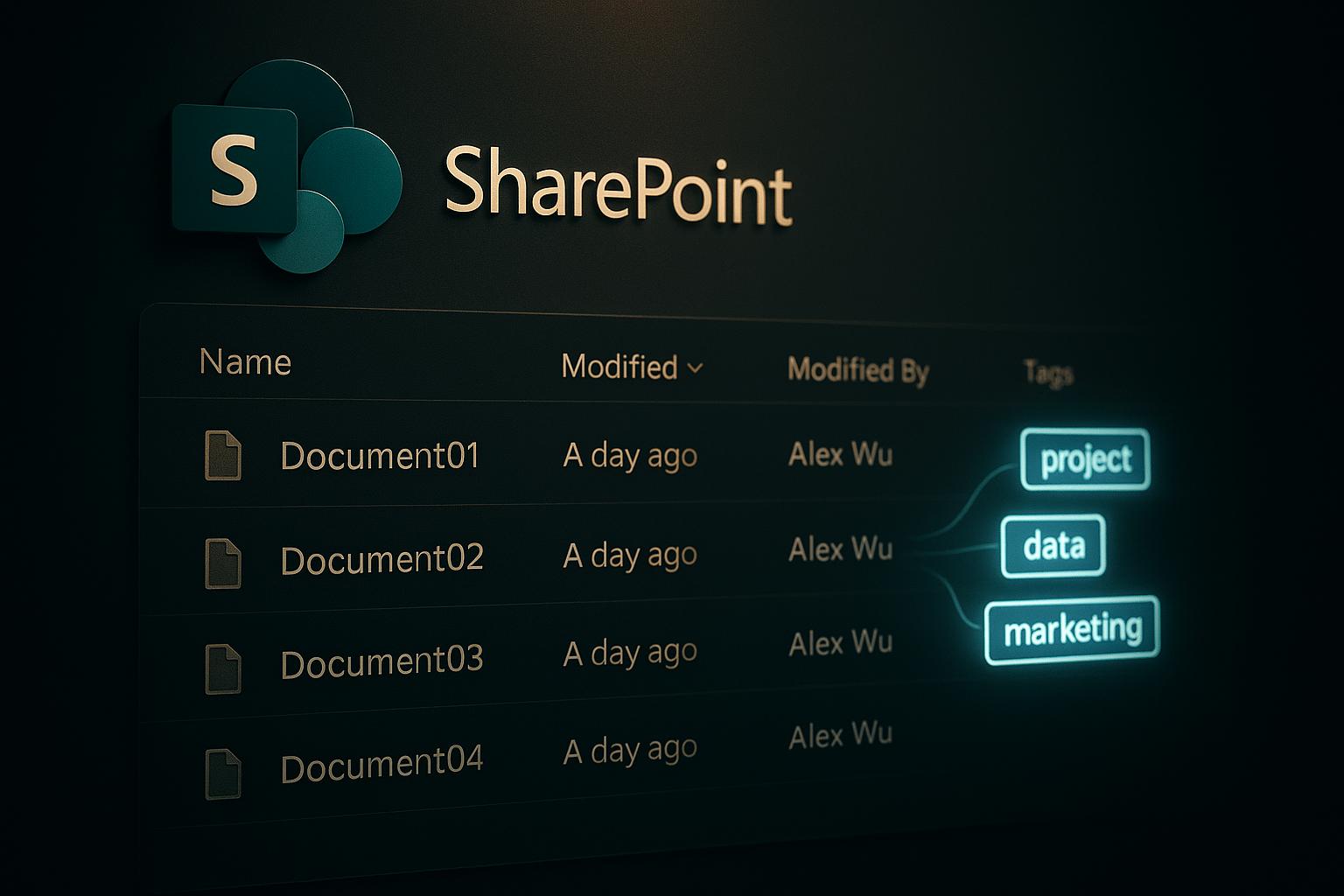
Recent updates such as the Knowledge Agent (automatic content tagging, workflow, and content updates) and the FAQ web part make SharePoint the knowledge hub for both human and AI discovery.
A Multi-Model Copilot: Adding Claude to the Mix
Microsoft has begun enabling Anthropic’s Claude within Copilot experiences (e.g., via Copilot Studio/research scenarios). This gives organizations access to long-context, safety-tuned reasoning for certain tasks. Guidance matters: when you step outside the M365 service boundary, keep sensitive data within Graph-grounded experiences and use Claude for low-risk external research or creative exploration (https://www.anthropic.com/claude).
GPT-5 (and Next-Gen GPT Models): Better Reasoning, Cleaner Structure
Across the series, we highlighted the impact of next-generation GPT models surfacing in Copilot—more structured outputs, better reasoning, and longer context. If you followed our Week 10 updates and LinkedIn coverage, you saw how these improvements translate to fewer rewrites and faster first drafts.
Where Copilot Fits in the AI Ecosystem
Copilot vs. “AI Islands.” If ChatGPT, Claude, or Gemini are powerful islands of intelligence, Copilot’s advantage is integration: it lives inside your work surface, speaks your org’s security and compliance, and can act (build the spreadsheet, draft the slide, schedule the follow-up). For enterprise value, place matters—and Copilot is already sitting in Word, Outlook, Excel, PowerPoint, SharePoint, and Teams.
NotebookLM vs. Copilot Notebooks. NotebookLM wins today on digital creative features; Copilot Notebooks wins on tenant trust and Graph context. For a CIO, that often outweighs “cool”—because adoption follows trust.
Multi-Model Future. We’re entering a world where “the right model for the job” is table stakes. Copilot’s Claude integration is an early signal; expect more choice and orchestration behind the scenes—with IT governance up front.
How Synozur Helps: From Features to Outcomes
Here’s how we help clients sift through the flurry of innovations to deliver real business outcomes with AI Strategy & Design services.
Start Where You Are, With Real Work: We begin with an AI readiness and discovery sprint that analyzes your AI maturity, authentic documents, workflows, and constraints—turning what your teams actually do into a prioritized, measurable use-case backlog.
Pilot to Scale—By Design: We structure quick-win pilots (e.g., Copilot and automation scenarios) that graduate into governed, enterprise rollouts with clear milestones, adoption plans, and value tracking.
Governance First, Not Last: Every roadmap includes decision rights, model/solution guardrails, and risk controls aligned to ISO/IEC standards, NIST AI RMF, and EU AI Act obligations—implemented with Microsoft-first controls like Purview DSPM for AI, DLP/Endpoint DLP, and Defender for Cloud Apps.
Right-Fit Architecture Choices: We help leaders choose among off-the-shelf, vertical solutions, RAG/knowledge-graph patterns, fine-tuning, or custom models—using a vendor-neutral decision matrix that ties each option to cost, risk, and competitive advantage.
Human-Centered Change & Skills: We deliver role-based, multi-tool upskilling (Copilots, automation, LLM platforms) and change journeys that make AI adoption ethical, explainable, and durable for the workforce.
Measurable Business Outcomes: Our programs report tangible impact—time saved in drafting/analysis, quality gains, and faster idea-to-production cycles—so executives can communicate progress and reinvest with confidence.
Microsoft-Forward, Ecosystem-Open: We maximize the platforms many clients already own (Microsoft 365, Azure AI, security stack), while remaining tool-agnostic where that creates differentiated value.
Why It Works: Clients get faster results, safer scaling, and measured impact—with an empathetic, people-first approach that earns trust and adoption across the business.
The Five Moves That Accelerate Adoption (and Stick)
Start Where AI Can Pay Back Fast Without Risk. Pick 3 outcomes (e.g., exec briefings in minutes, weekly status in one pass, self-serve FAQs). Tie each to a KPI (cycle time, time-to-first-draft, call deflection). Publish the “before/after” deltas to build momentum.
Level-Up Prompt Literacy and Review Discipline. Teach teams to set role, audience, format, and task in prompts; to iterate (“make it crisper…now add bullets…now cite sources”); and to check outputs before shipping. Make this muscle memory via short demos, internal prompt galleries, and champions.
Personalize Copilot to Your Organization (Two Parallel Moves):
Custom Dictionaries (Teams/Meeting Recap Contexts): Fix names, acronyms, and product terms so Copilot hears, transcribes, and writes the way your org actually speaks. This reduces friction and immediately improves transcript accuracy and summaries.
Brand Kits (Copilot Create): Define fonts, colors, and logos so Copilot-generated decks or docs ship on-brand. Users edit less; design stays consistent. (See Microsoft’s Copilot/brand guidance on support/learn pages.)
Treat SharePoint as Your “AI CMS.” Create knowledge libraries with clear ownership, modern metadata, and lifecycle. Light up SharePoint Premium features (classification, eSignature, archive) to keep content discoverable and trustworthy. As Knowledge/answers features expand, you’ll already have the substrate for consistent, permissioned answers.
Instrument, Communicate, and Optimize. Use Copilot usage reports to see where it’s helping, where it’s idle, and where to invest (training, connectors, tuning). Share quick wins in weekly posts. Reinvest reclaimed hours in customer work. (Barclays’ scale-up story is a good illustration of momentum meeting readiness. Barclays Rollout)
Three Adoption Pitfalls to Avoid (and What to Do Instead)
Pitfall 1: “We Skipped the Content Cleanup—Copilot Will Figure It Out.”
Why It Hurts: Poor information architecture, stale content, and missing labels blunt Copilot’s ability to retrieve or summarize correctly.
What External Research Says: McKinsey repeatedly highlights data quality and accessibility as gating factors for AI impact; organizations that invest in data foundations realize outsized value.
What to Do: Treat SharePoint as the AI CMS—enforce ownership, metadata, and lifecycle; use SAM and Knowledge Agent services to classify/archive; stand up knowledge libraries for high-value domains.
Pitfall 2: “We Rolled It Out…but Didn’t Change How People Work.”
Why It Hurts: Without role-specific training, prompt patterns, and review norms, many users try Copilot once and bounce.
What External Research Says: Harvard Business Review argues that successful AI programs combine process redesign and capability building, not just tech deployment.
What to Do: Build prompt literacy, define review gates (e.g., customer emails), and identify owner communities who teach others. Tie enablement to real workflows, not generic “how to AI” classes.
Pitfall 3: “Shadow AI is Fine—Until It Isn’t.”
Why It Hurts: Employees will use public AI tools when sanctioned options lag—creating data leakage and compliance risk.
What External Research Says: Microsoft’s Work Trend Index reports widespread bottom-up AI experimentation and urges leaders to meet demand with secure options and clear guardrails (https://www.microsoft.com/en-us/worklab).
What to Do: Offer Copilot Chat broadly (even without premium licenses) for safe, file-scoped help; articulate do/don’t guidelines; and route sensitive tasks to Graph-grounded Copilot experiences.
What’s Next: Your “Endless Summer” Roadmap
SharePoint Knowledge as the Hub. Think of your intranet as the knowledge mesh that feeds agents. Expect site-scoped agents to grow into org-spanning knowledge assistants—with better routing, better citations, and richer responses.
Agents That Collaborate. As multi-model/multi-agent orchestration matures (e.g., Claude in Copilot Studio; broader agent frameworks), you’ll see agent-to-agent workflows inside the app surface you already use—no context switching required. (https://www.anthropic.com/claude)
Tuning Without the Heavy MLOps. Low-code Copilot tuning will push personalization mainstream. Expect tuned models for expert Q&A, summarization, and generation tailored to your org—governed through Copilot Studio and measured with outcome analytics (https://learn.microsoft.com/en-us/copilot/microsoft-365/copilot-tuning-admin-guide).
Human + AI Workflows as “The New Normal.” The cultural shift is underway: AI handles the tedious and the initial draft; people bring judgment, relationships, and domain context. Your leadership job isn’t to pick a single model—it’s to design the system where people + AI produce better outcomes than either alone.
A Final Word to Leaders and Practitioners

This summer proved that Copilot isn’t a gadget—it’s a way of working. If you run Microsoft 365, you have a uniquely integrated path to scale AI safely, measurably, and humanely. Start small, tune to your organization, cultivate skills, and put SharePoint-as-AI-CMS to work.